How to Add a New Application
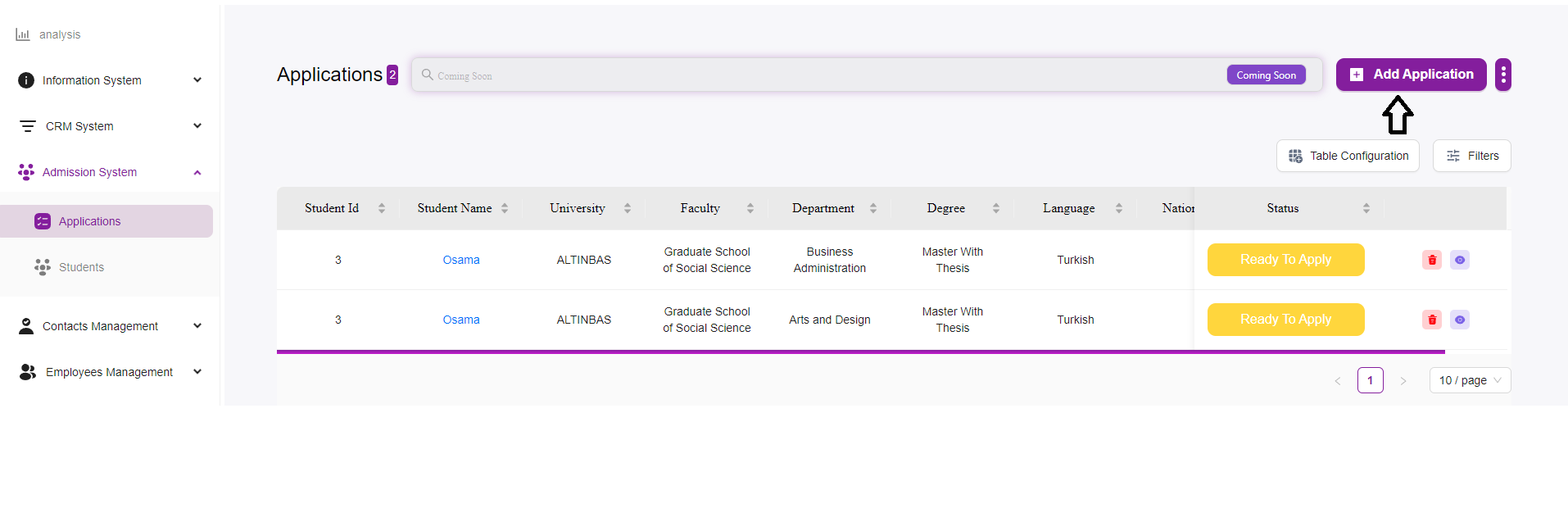
Access the Applications Page:
- Navigate to the Admission System module from the sidebar.
- Select “Applications” to open the applications management page.
Initiate a New Application:
- Click on the “+ Add Application” button located at the top right of the page.
- This will open a new form where you can enter the details of the application.
Fill in the Application Details:
Select Student:
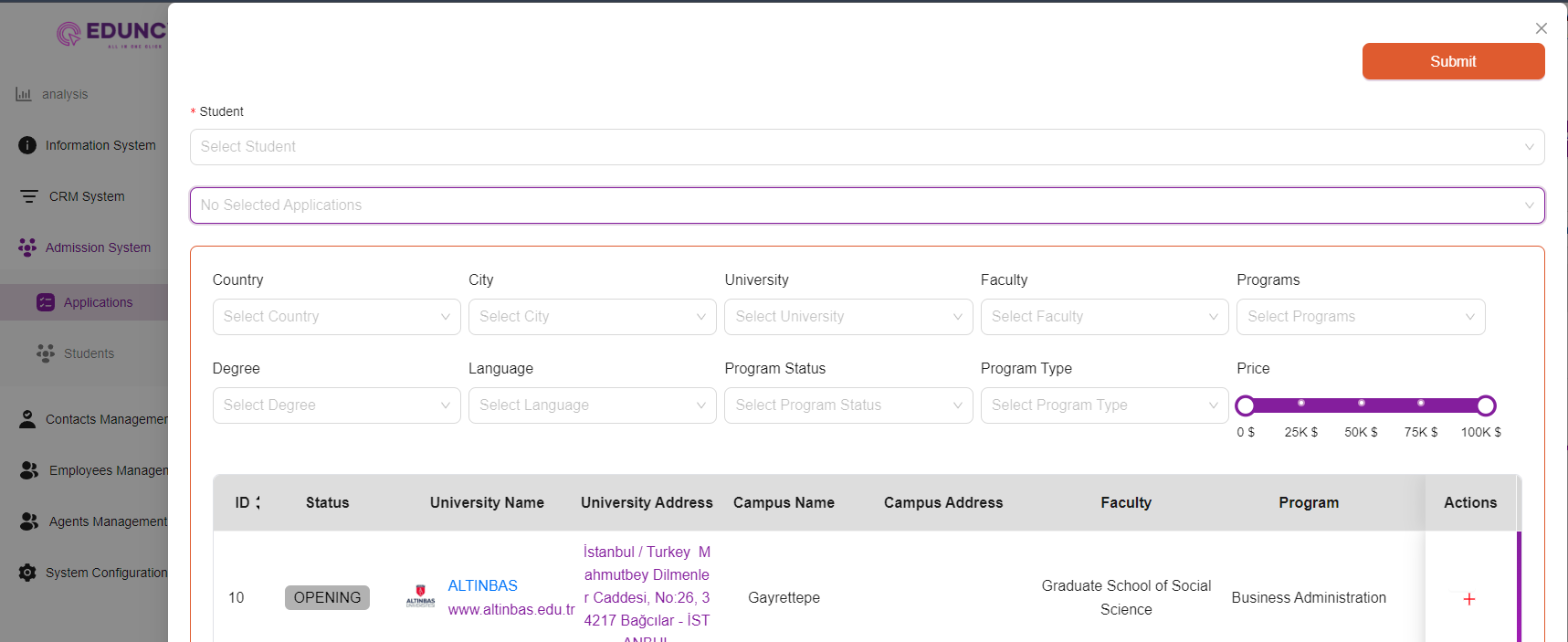
- Click on the “Select Student” dropdown menu to choose a student from the list.
- If the student is not listed, you may need to add the student to the system first.
Application Information:
- Select the Application you want, or you can filter and press on the Action “+” button.
Enter Academic Details:
-
Country:
Select the country where the university is located. -
City:
Select the city of the university. -
University:
Choose the university to which the student is applying from the dropdown menu. -
Faculty:
Select the relevant faculty or school within the university. -
Degree:
Select the degree program (e.g., Bachelor’s, Master’s). -
Language:
Choose the language of instruction for the program. -
Program Status:
Indicate the current status of the program (e.g., Opening, Closed). -
Program Type:
Select the type of program (e.g., Full-time, Part-time). -
Programs:
Choose the specific program within the faculty.
Specify Financial Details:
- Price:
Use the slider to set the tuition fee for the program. You can adjust the slider to reflect the cost accurately.
Review and Submit:
- After entering all the necessary information, review the details to ensure accuracy.
- Click the “Submit” button at the top right of the form to save the application.
Confirmation:
- Once submitted, the application will be listed in the main table on the Applications page.
- You can now manage and track this application along with others.
Tips and Best Practices
-
Double-check Details:
Ensure that all details entered are correct and match the student’s academic records. -
Update Status:
Regularly update the application status to reflect the current progress. -
Use Filters:
Utilize the filter options to sort and manage applications effectively. -
Documentation:
Keep any necessary documents ready for upload if required by the system.